OpensWith
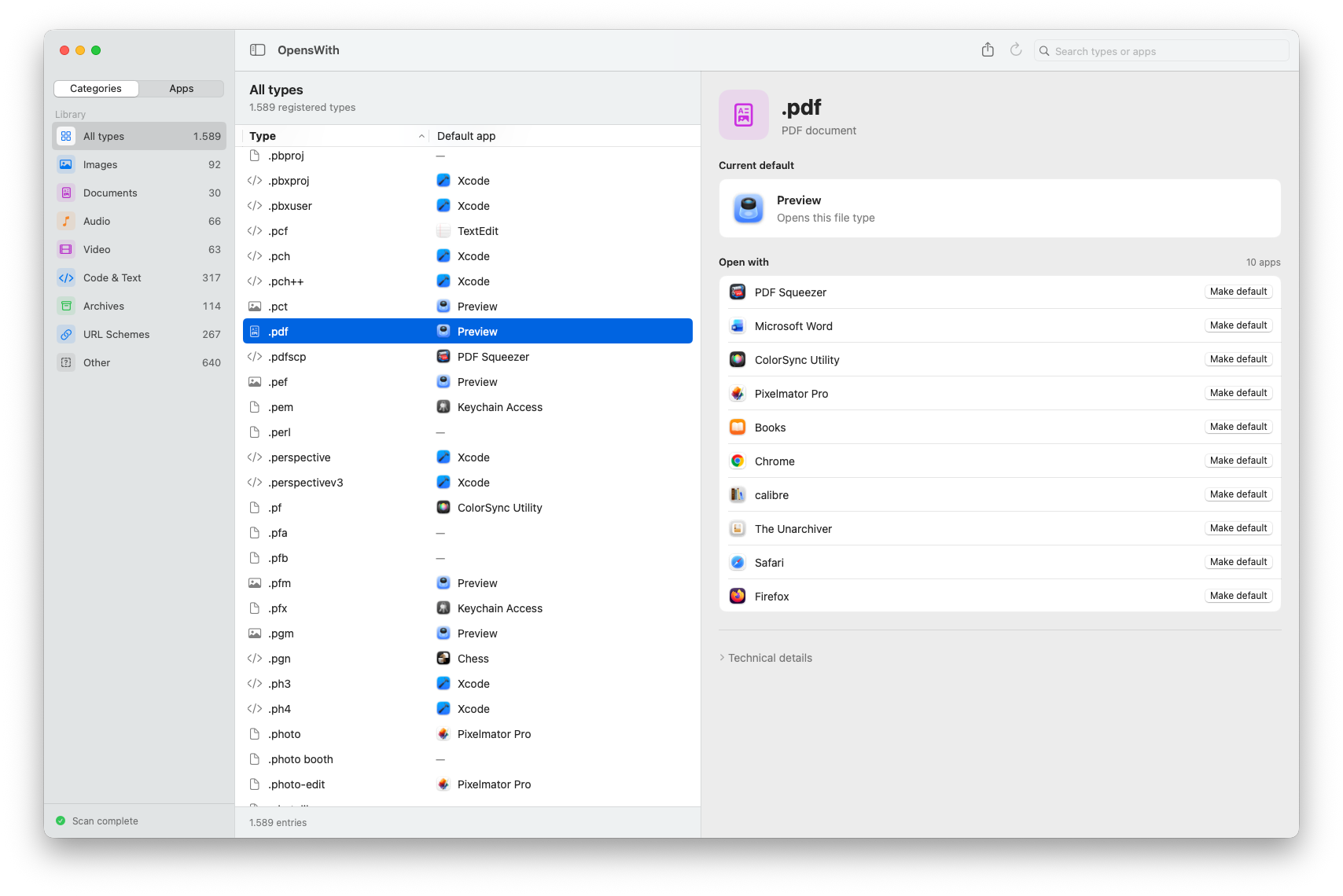
Free · macOS 13+See which apps open what on your Mac. OpensWith brings file types, links, and their default apps into one view, so you can see your setup at a glance and quickly change what opens each one.
Why I built it
I wanted a simple way to see which apps open different files and links on my Mac. Changing one default is easy; keeping track of all of them is the hard part. I built OpensWith to give me that overview and let me change a default when I need to.
What it does
- See the default app for each registered file extension and URL scheme, alongside the other installed apps that can open it.
- Browse by category, or by app to see which file types and links it opens by default. Search and sort to find what you need.
- Choose an alternative app and make it the default, with confirmation from macOS. OpensWith tells you when related extensions, such as .jpg and .jpeg, will change together.
- Export the current view or the full list to CSV to compare setups or keep a record of your defaults.